Collective Help
Follow the instructions below to get started with the Collective Portal
Logging in
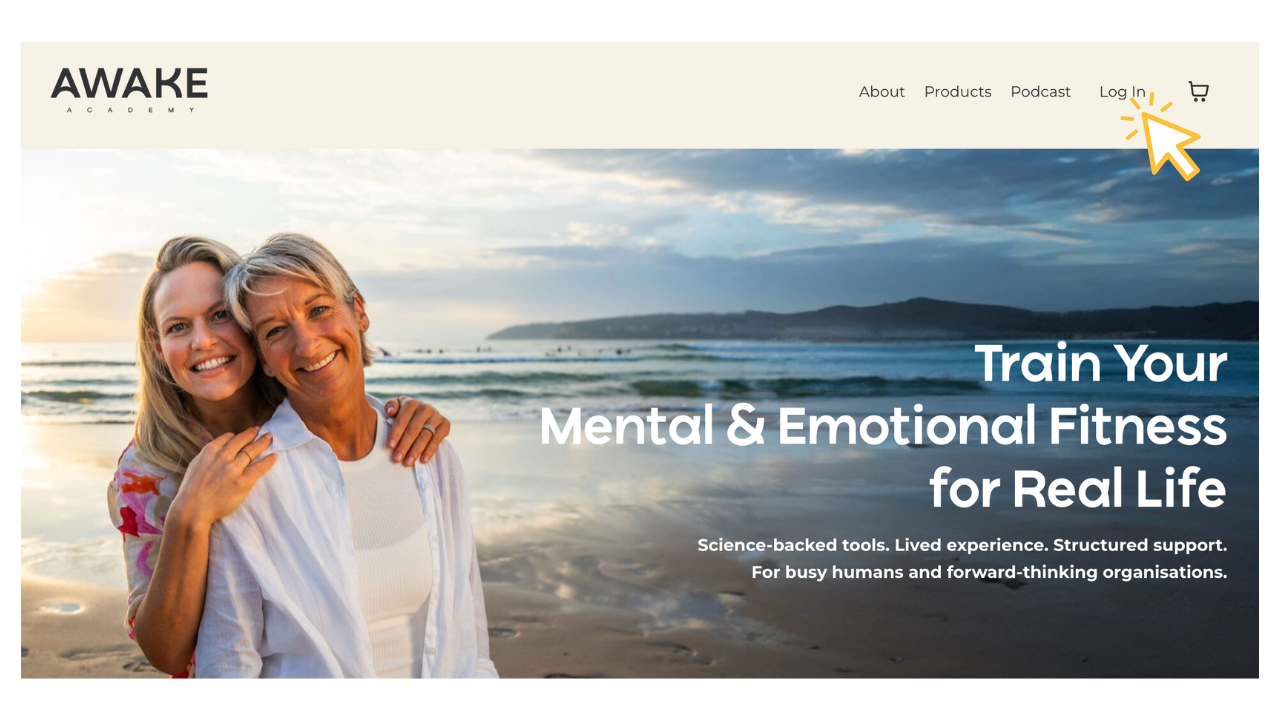
Login. Make sure you are logged into awakeacademy.com.au
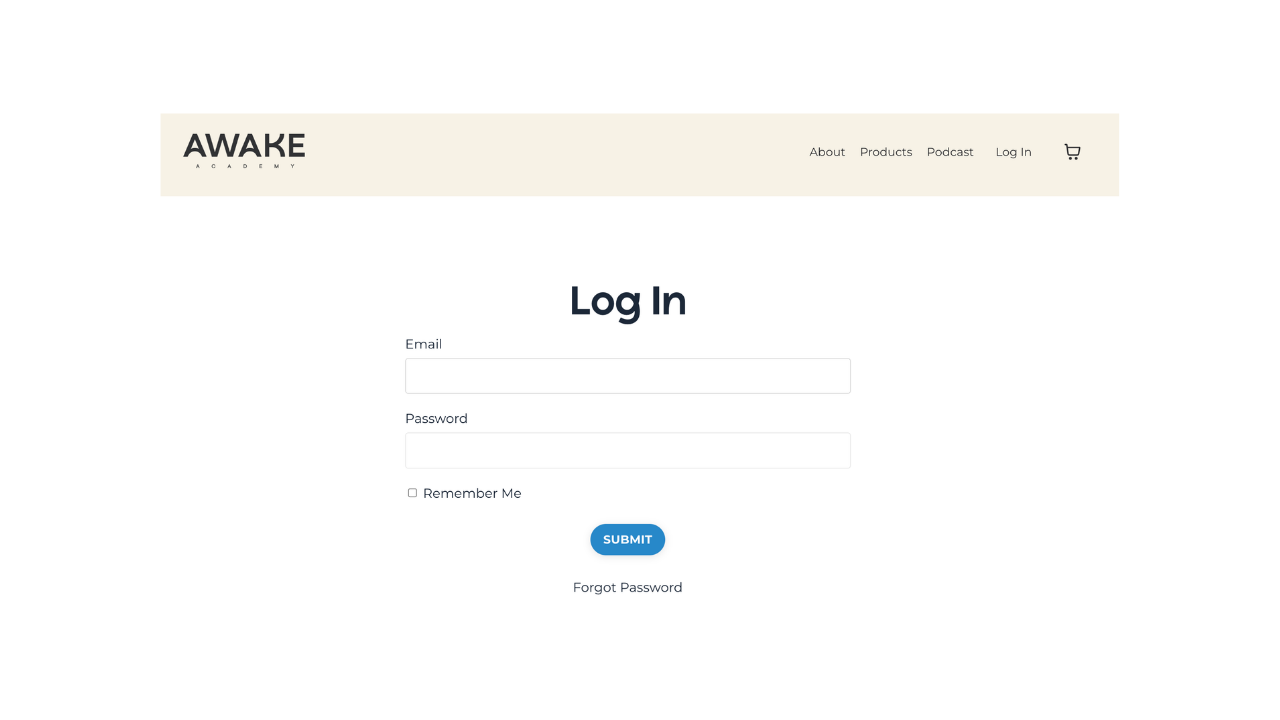
Enter the email that you signed up with
(Note: if you can't remember your password, click Forgot Password button at the bottom of the page OR contact us )

When you are signed in you will see Community is now showing in your main menu.
Click on Community
Your 1st Comment
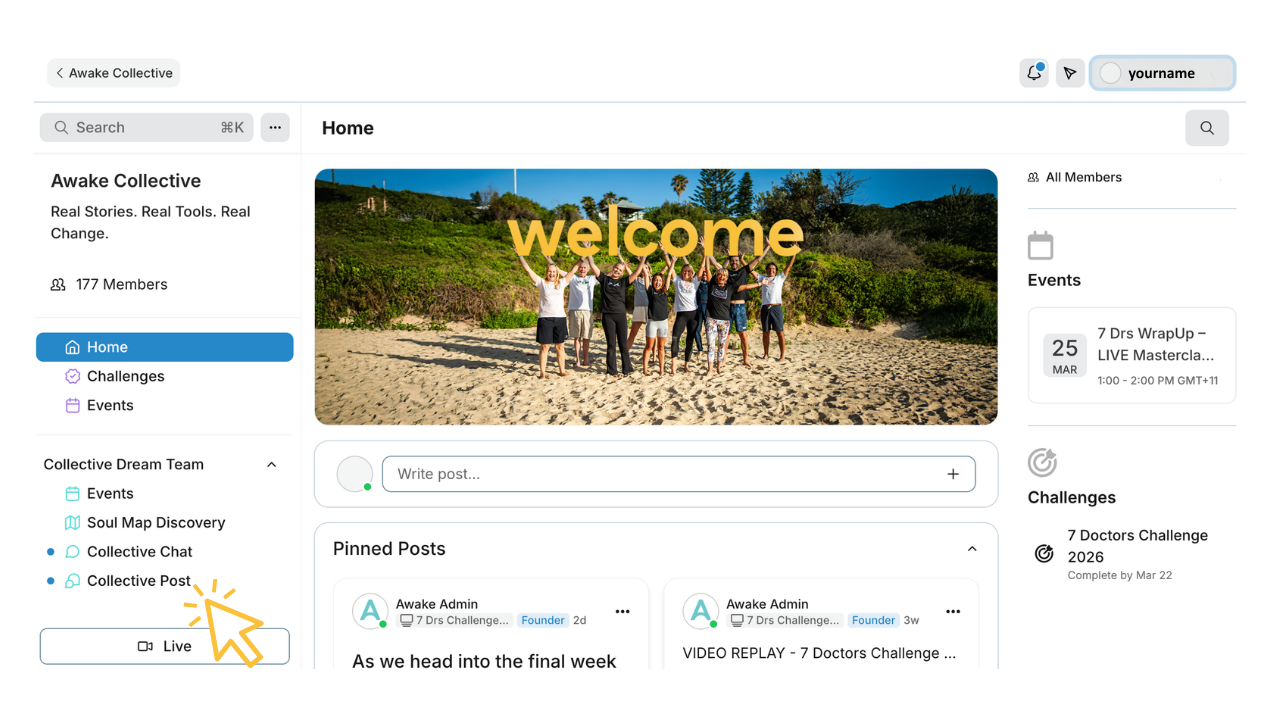
In the left sidebar you will see the Collective Post link. Click on this.
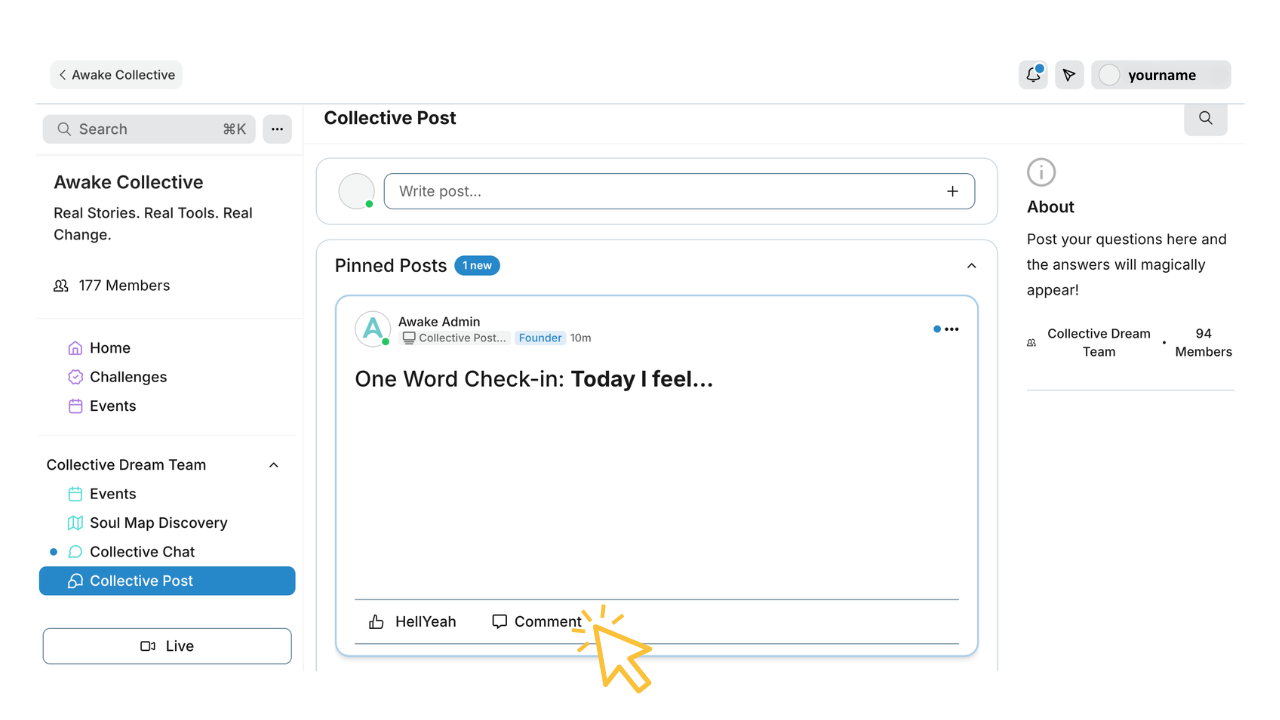
To post a comment in any thread - click Comment
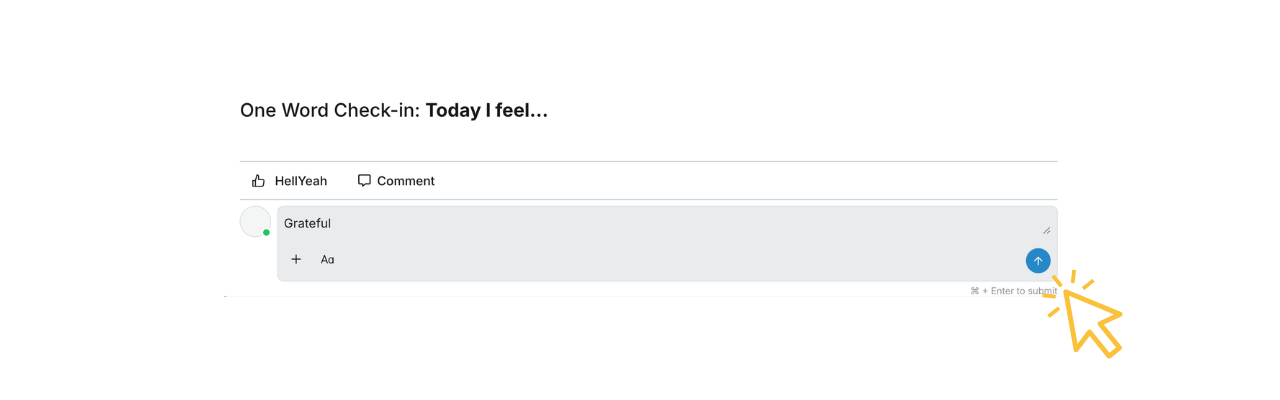
Click the blue arrow to submit your comment.
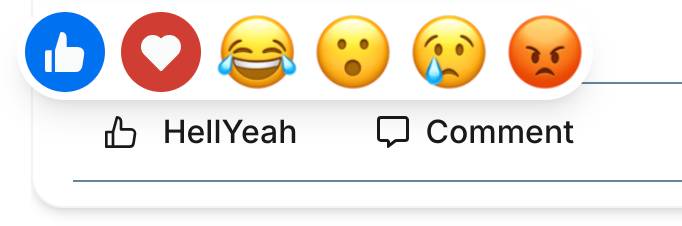
To react to a comment hover over the HellYeah for options
Complete Your Profile

Click on your profile avatar in the top right corner or awakeacademy.com.au website
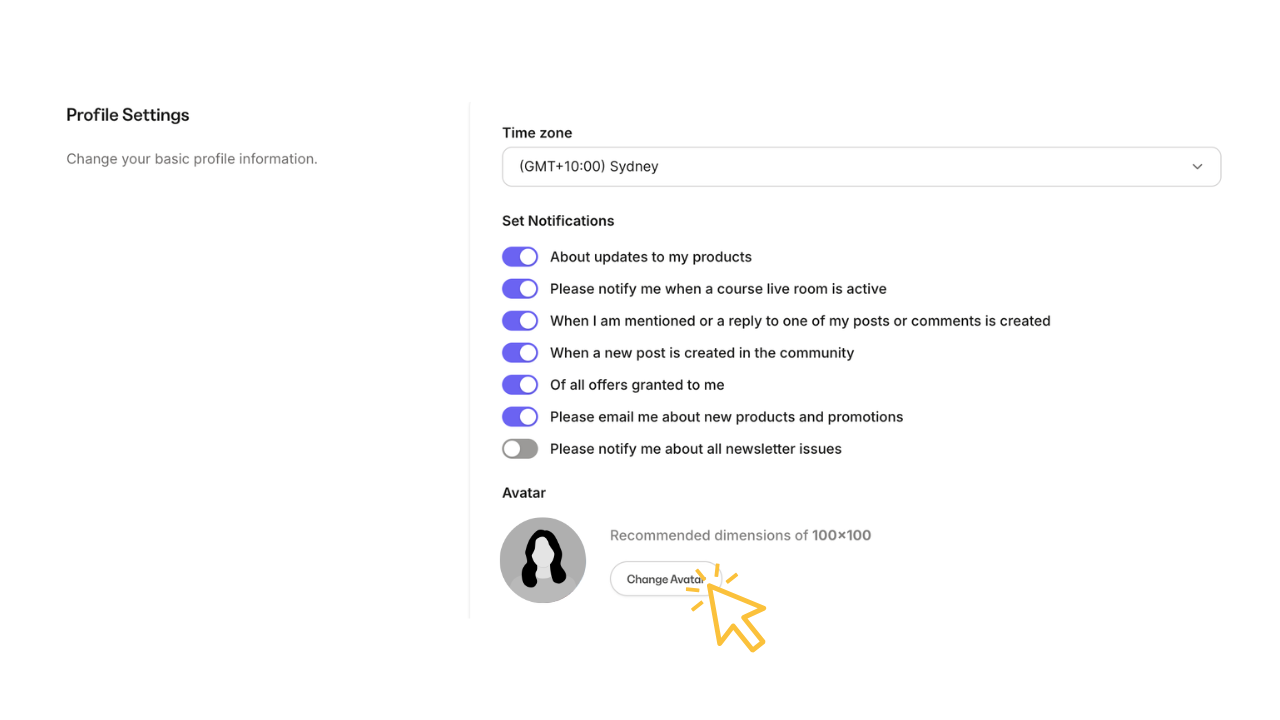
- Set your Time Zone
- Click on your Change Avatar and upload your profile pic.
Still Stuck? We get it.
New platforms can be a hurdle, but don't let this stop you.
If for any reason you need further assistance, the Awake Team is just a message away.